> ## Documentation Index
> Fetch the complete documentation index at: https://docs.expectedparrot.com/llms.txt
> Use this file to discover all available pages before exploring further.
# Colab Setup
> All examples, tutorials, and demo notebooks are executable in any Python notebook environment.
To run them in Colab, please follow the special instructions below for technical setup:
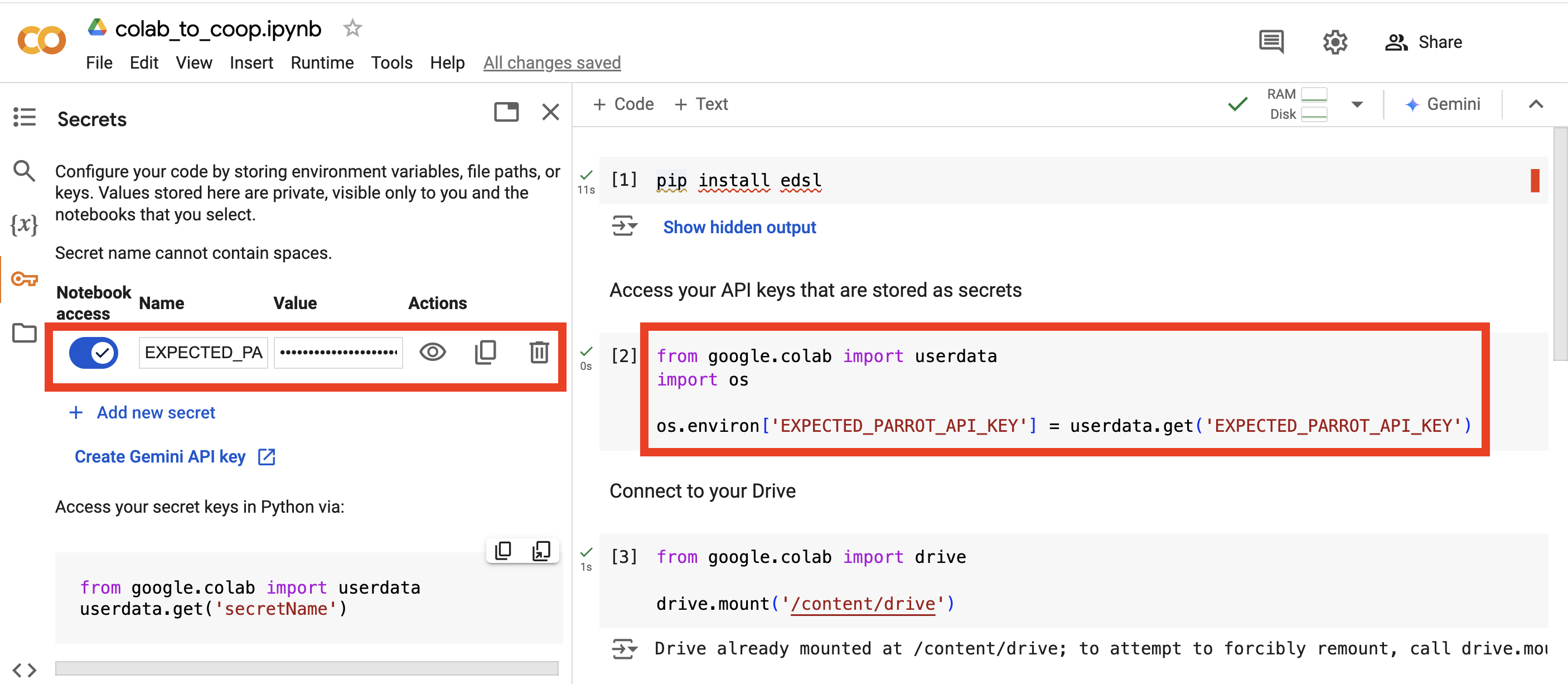
## 1. Store your API key as a secret
In Google Colab, your API keys can be stored as “secrets” in lieu of storing them in a *.env* file as you would in other notebook types.
For example, you can store your Expected Parrot API key as follows:
 ## 2. Install EDSL
Run the following command in a code cell to install the EDSL package:
```bash theme={null}
pip install edsl
```
## 3. Access your API key
Run the following code to access your API key in your Colab notebook:
```python theme={null}
import os
from google.colab import userdata
os.environ['EXPECTED_PARROT_API_KEY'] = userdata.get('EXPECTED_PARROT_API_KEY')
```
## Example Colab code
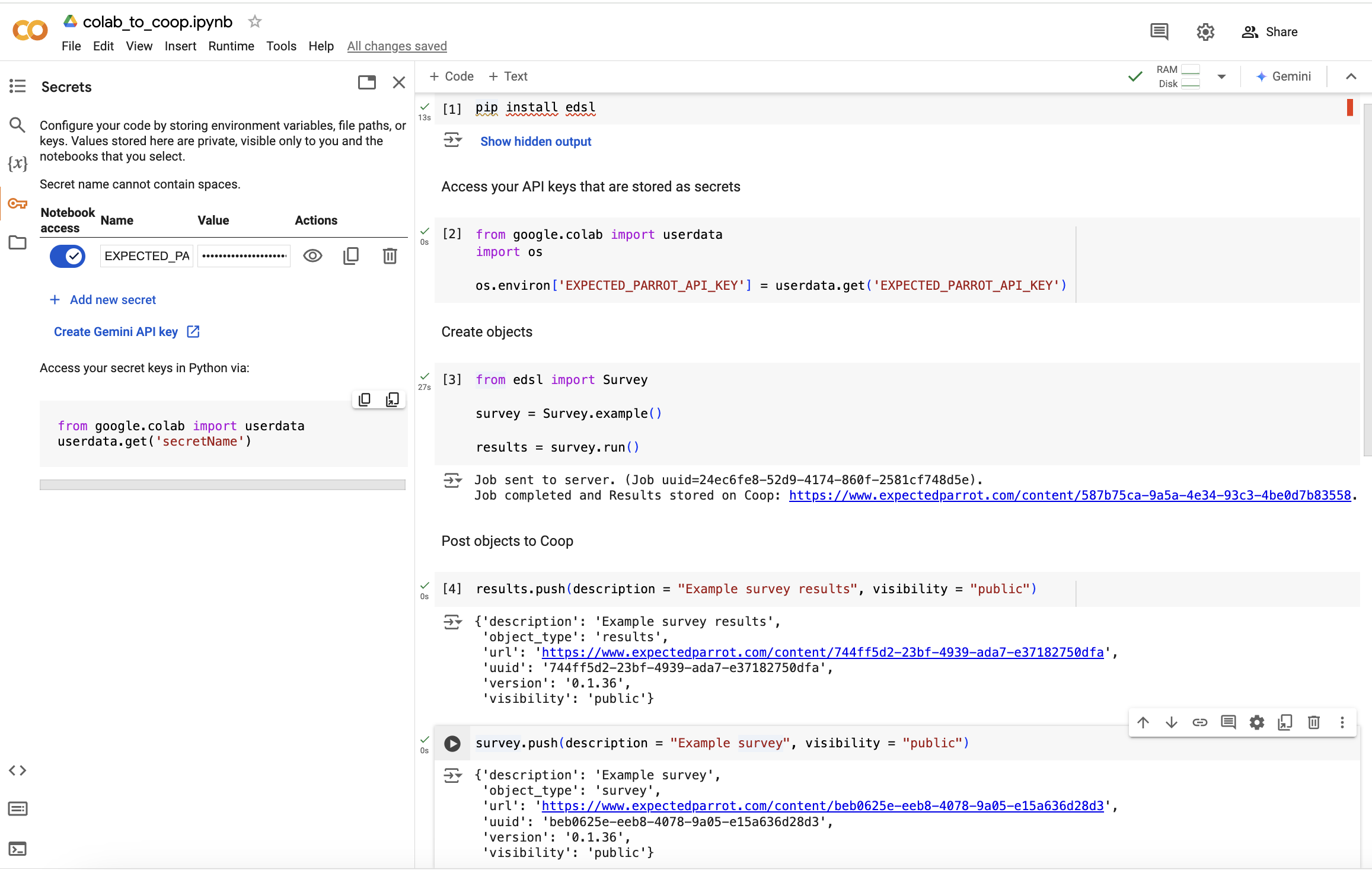
EDSL methods for creating objects and posting them to Expected Parrot are now available to you in Colab.
Here’s a snapshot of how your Colab code might look:
## 2. Install EDSL
Run the following command in a code cell to install the EDSL package:
```bash theme={null}
pip install edsl
```
## 3. Access your API key
Run the following code to access your API key in your Colab notebook:
```python theme={null}
import os
from google.colab import userdata
os.environ['EXPECTED_PARROT_API_KEY'] = userdata.get('EXPECTED_PARROT_API_KEY')
```
## Example Colab code
EDSL methods for creating objects and posting them to Expected Parrot are now available to you in Colab.
Here’s a snapshot of how your Colab code might look:
 ## Posting Colab notebooks to Expected Parrot
Special instructions for connecting your Google Drive to post Colab notebooks to Expected Parrot are available in the [Colab Notebooks](/en/latest/colab_notebooks) section.
## Posting Colab notebooks to Expected Parrot
Special instructions for connecting your Google Drive to post Colab notebooks to Expected Parrot are available in the [Colab Notebooks](/en/latest/colab_notebooks) section.